June 29th, 2026
New
Improved
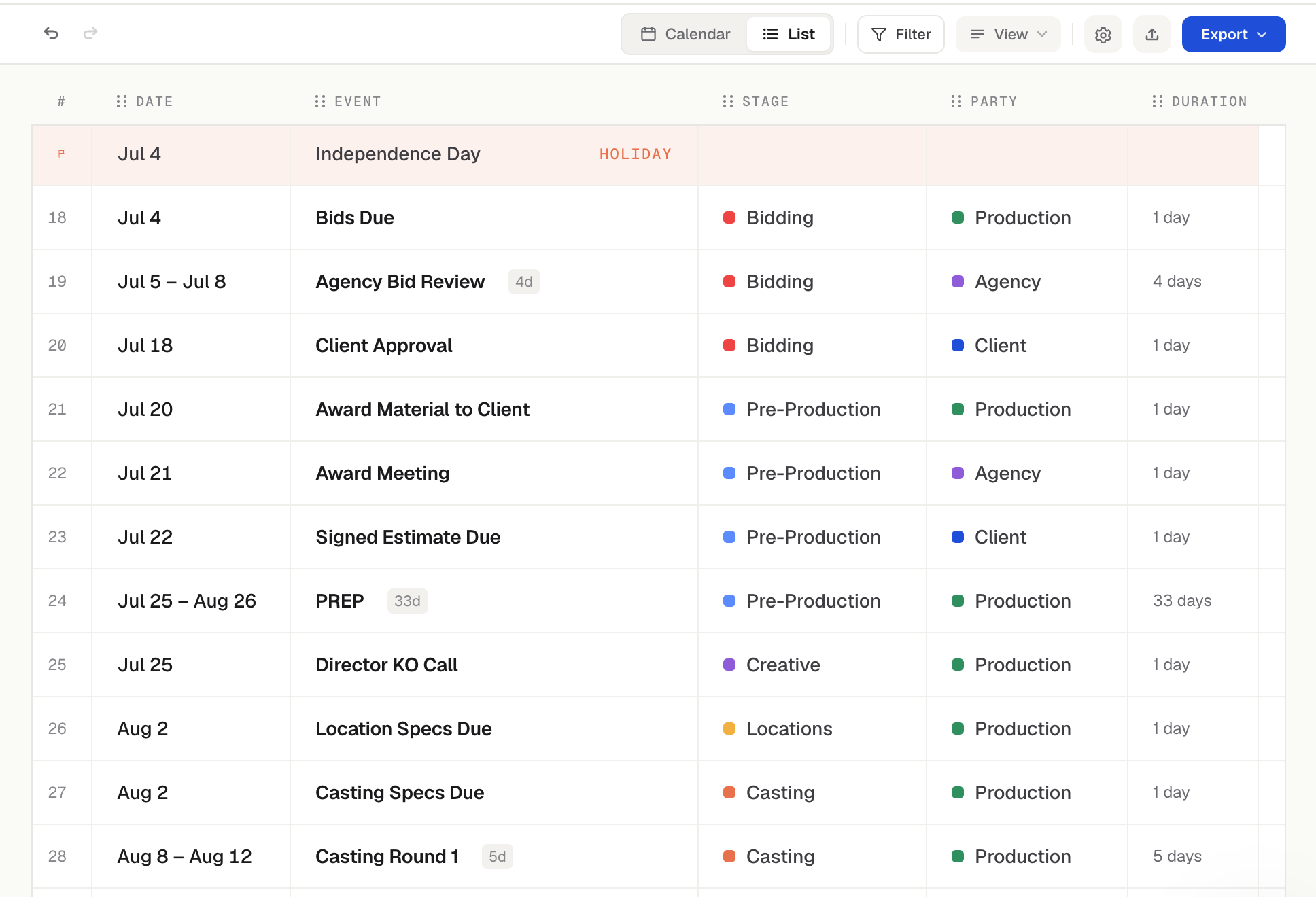
List View
Introducing List View
Every project now has a second way to see its calendar: a clean, chronological list of every event, top to bottom. Flip between them anytime with the new Calendar / List toggle in the project toolbar. Perfect for scanning a whole schedule at a glance, sharing a flat timeline, or working through dates in order.
One row per event, in date order — multi-day events show their full range (e.g. "Mar 25 – Apr 3") on a single row. The list spans the entire project, not just one month.
Pick your columns. Show or hide Date, Event, Stage, Party, and Duration individually, and drag to reorder them however you like.
Your filters come with you. The same party/stage Filter, Color by, and Size settings from the calendar carry straight into the list — change them in either view and both stay in sync.
Make it yours. Choose your date format, and dim completed events so the work ahead stands out. These are personal to you — they won't change how your teammates see the project.
Edit in list view
No need to open each event. Click any cell to edit it in place — rename the event, set its party or stage, change the date, or adjust the duration (which moves the end date for you). Edits save instantly and work with undo/redo, just like on the calendar. You can also add a new event with "+ New event" or right-click to add or delete rows.
Copy to a spreadsheet in one move
Need the schedule in Sheets, Excel, or Numbers? Drag to select any block of cells and hit ⌘C — it pastes in as real, formatted cells.
Export the list to CSV
The toolbar's Export menu now includes List data → CSV, downloading exactly the rows and columns you're looking at. (Your calendar PDF/PNG exports are unchanged.)
A few more touches
Holidays show up as their own rows when you've got holidays turned on, so the working schedule stays in context.
Works on share links too — anyone you've sent a read-only link to can switch to List View, copy rows, and download the CSV (no account needed), when downloads are enabled on the link.